

Assignment and income planner for freelancers
A deadline calendar, assignments, clients and finances with tax estimates — all on one screen. Built for the self-employed, works offline, and the Clipster assistant always reminds you of what matters.
The demo works without sign-up — no card required. Data in the test workspace is automatically deleted after 24 hours.
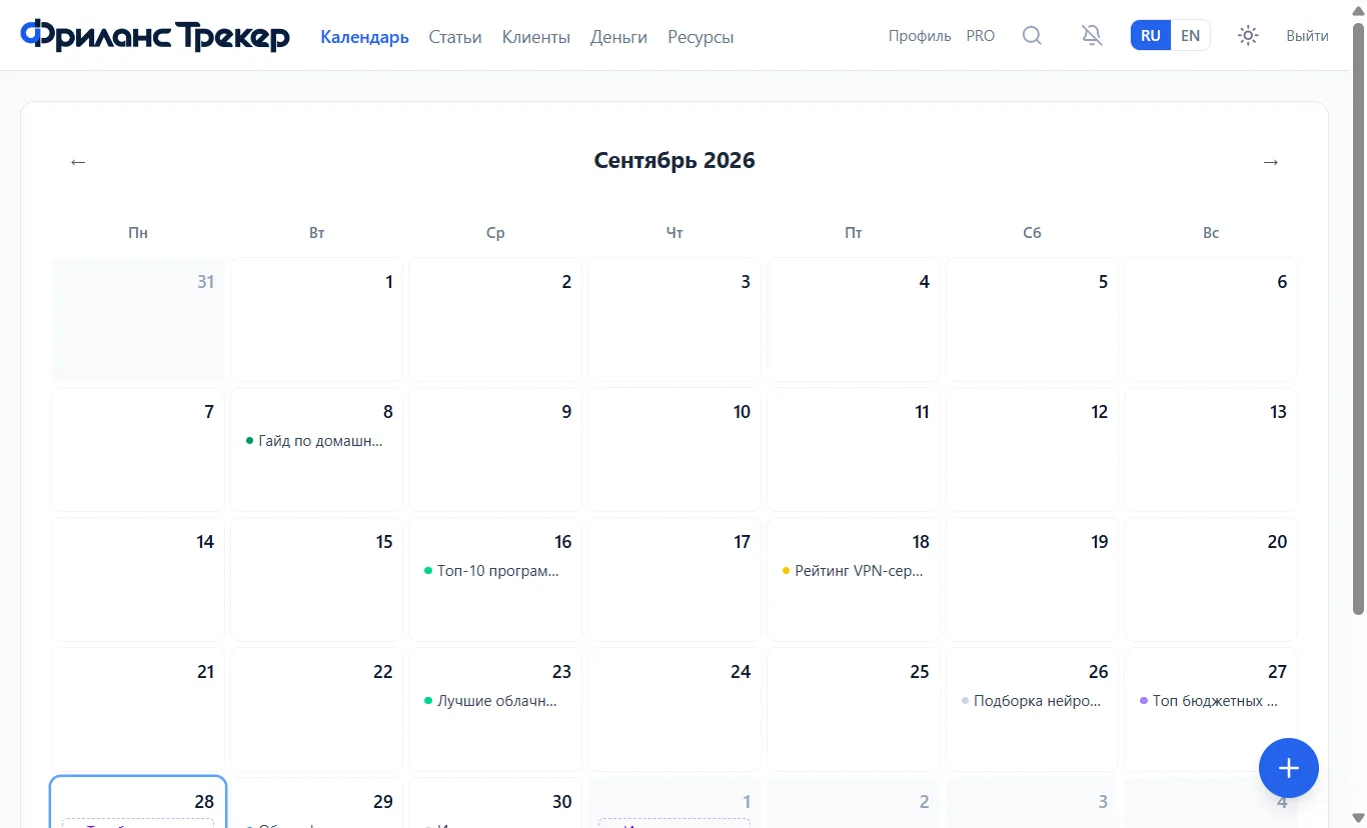
Everything a self-employed professional needs in one service
Assignments are spread across dates, so your workload is visible in advance. Publications can be shown separately, and overdue deadlines never get lost among future tasks.
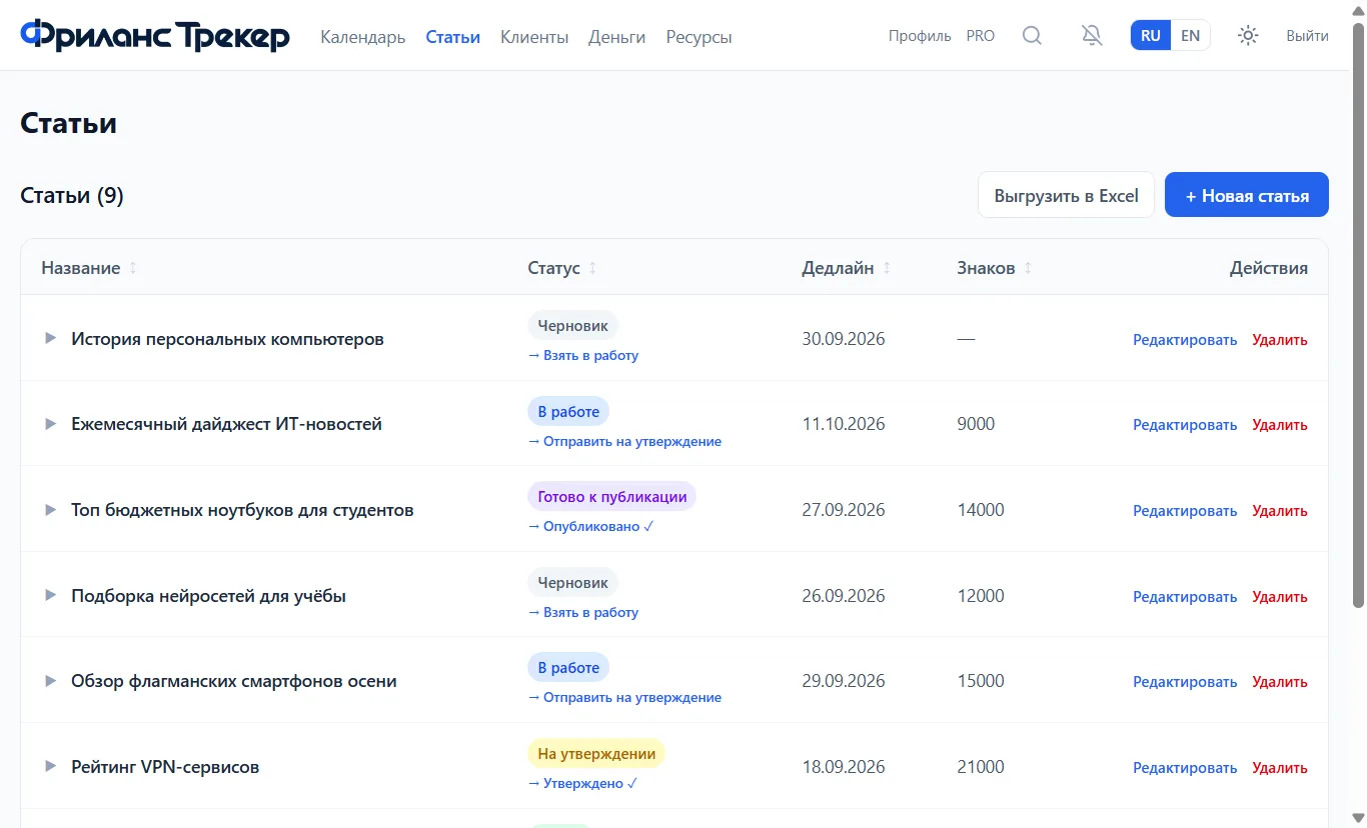
Create an order, set a deadline and change the status as work progresses. Every project keeps a history of stages, manual revisions and surcharges for work beyond the agreed scope.
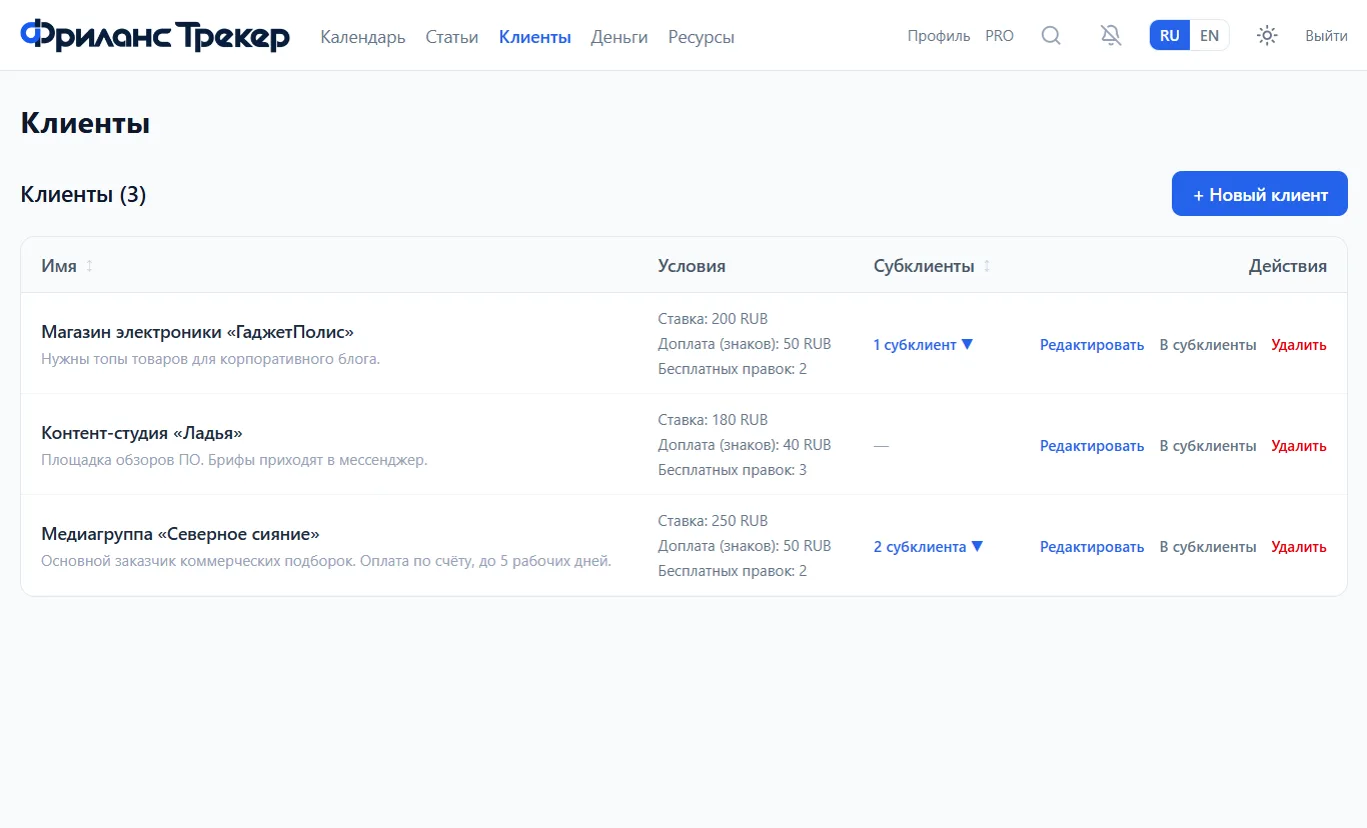
A client card stores the rate, currency, calculation method, number of free revision rounds, surcharge and standard turnaround time. Different customers can have different terms.
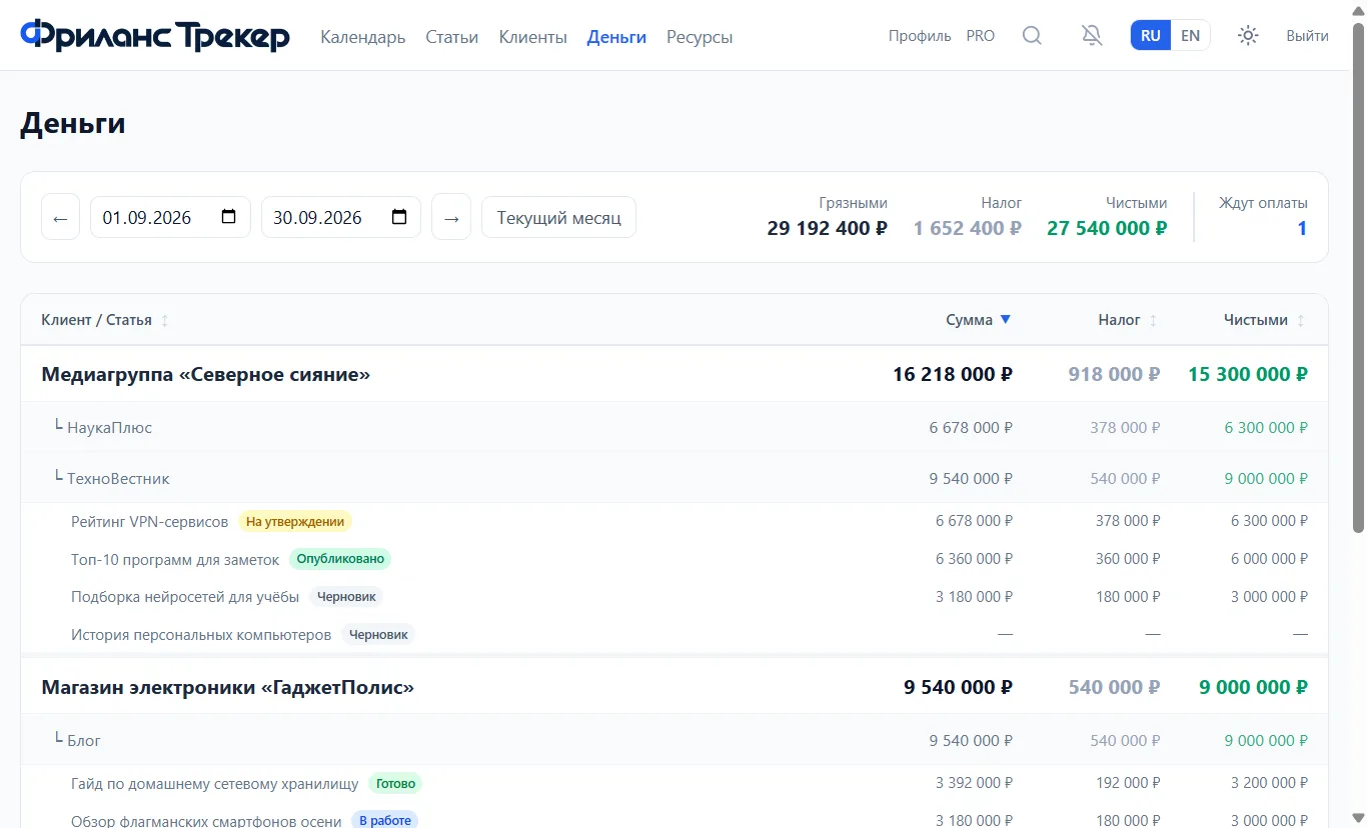
Freelance Tracker shows the accrued amount, an estimated tax and net income. You can pick a period, compare earnings and export the data to Excel.
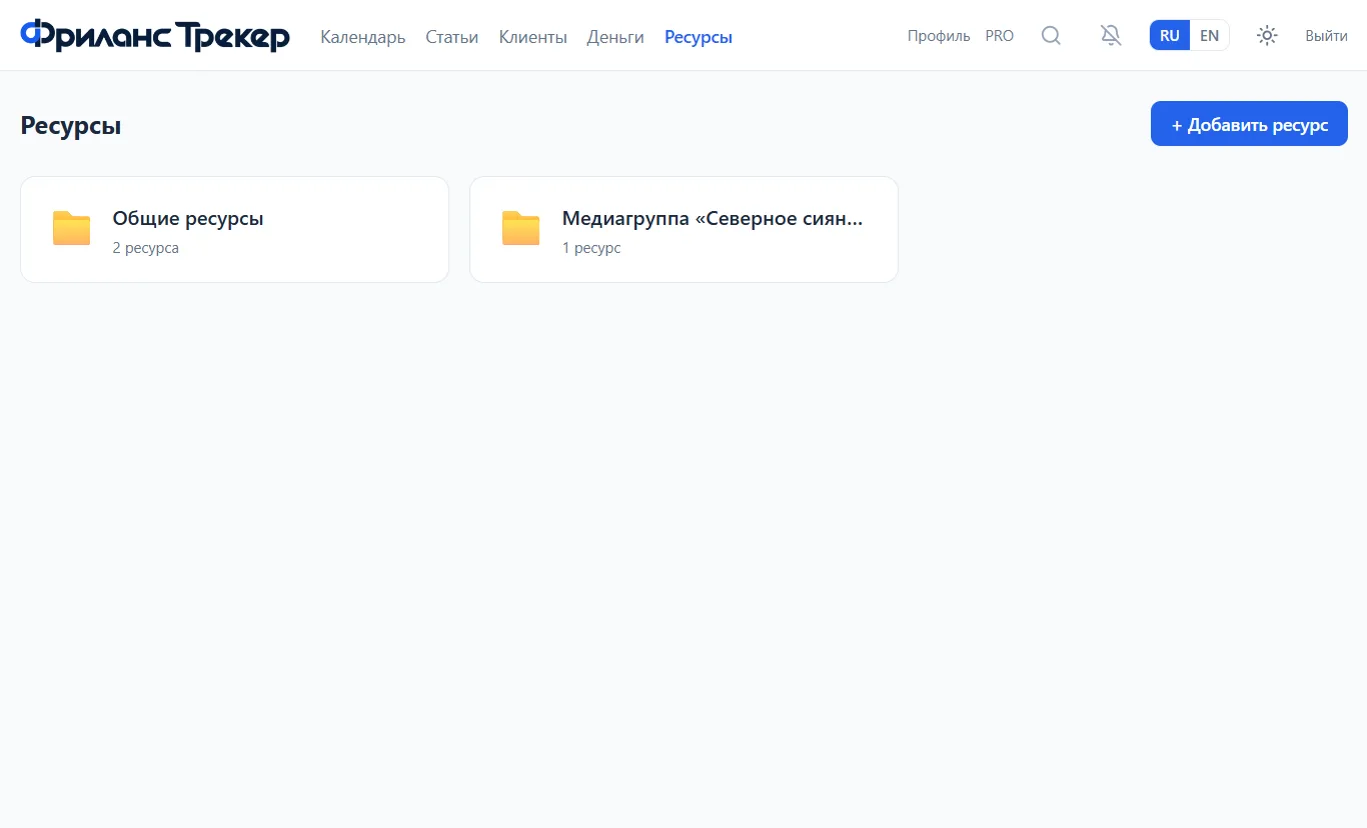
Keep links to documents, layouts, publications and other materials next to the project. Resources can be linked to a client or a platform, so the right file stays with the task.
Install the service as a PWA app and keep working offline. Changes sync once you are back online.
Hi, I am Clipster. I will remind you of everything
Clipster is a personal assistant inside Freelance Tracker. It reminds you of upcoming deadlines, helps you not to lose important tasks, and suggests service features that come in handy.
You do not need to double-check the calendar every evening or keep every client promise in your head. Clipster stays next to your workspace and draws your attention to things that need action.
Two deadlines today. Let me show you the assignment that is due first.
The service adapts to your profession
Articles, characters, outlets, topics and revisions.
Tasks, hours, customers, projects and stages.
Layouts, screens, iterations, clients and surcharges.
With Pro you can pick a profession or define your own entity names.
How to start
Set the rate, tax, payment rules, number of free revisions and the usual turnaround time.
Add the task, deadline, price and working materials. The client terms are applied automatically.
Mark when the order is prepared, sent, returned for revisions, accepted and paid.
The calendar shows your workload, Clipster reminds you of deadlines, and the Money section calculates accruals, tax and net income.
Pricing
For the self-employed who need straightforward order tracking without extra settings.
- Assignments, clients, revisions and calendar
- Money tracking and Excel export
- Offline mode and PWA
- Links and notes in resources
- Clipster assistant
For those who want to tailor the workspace to their profession and keep more materials inside the service.
- Everything in the Free plan
- Profession selection
- Custom names for sections and entities
- File uploads in resources
- Support the project development
Frequently asked questions
What is Freelance Tracker?+
It is a working service for the self-employed and freelancers that combines tasks, clients, deadlines, revisions, payment terms and income tracking. It helps organize daily work without spreadsheets, scattered notes and complex CRM systems.
Who is it for?+
Self-employed specialists working with one or several clients: editors, copywriters, developers, designers, marketers, consultants and other project-based professionals. In Pro, section names can be customized for your profession.
How much does Freelance Tracker cost?+
The core features are free. The Pro plan costs ₽300 per month and adds profession customization, custom entity names, file uploads and project support.
Can I try the service without signing up?+
Yes, the demo workspace opens without registration and already contains sample data. All changes in it are deleted after 24 hours.
Does the service work offline?+
Yes, Freelance Tracker can be installed as a PWA app and used offline. Data syncs once the connection is restored.
Does Freelance Tracker pay taxes and issue receipts?+
No. The service calculates an estimated tax amount and net income for your records. Receipts, submissions and tax payments must be done through the "My Tax" app or another official FTS tool.
What can Clipster do?+
Clipster reminds you of deadlines and helps you learn the service features. Its job is to draw your attention to important things in your workspace in time.
Free your mind for creativity
Bring clients, orders, deadlines and money together in one workspace. Freelance Tracker shows what needs attention today, and Clipster reminds you of important tasks.